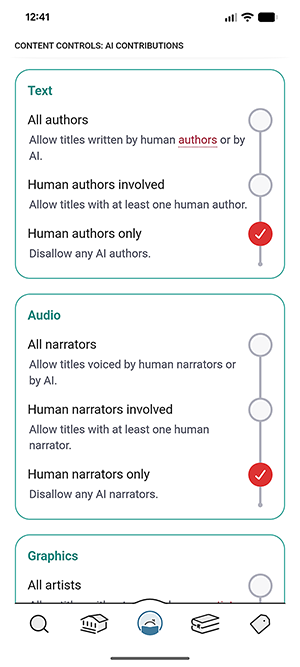
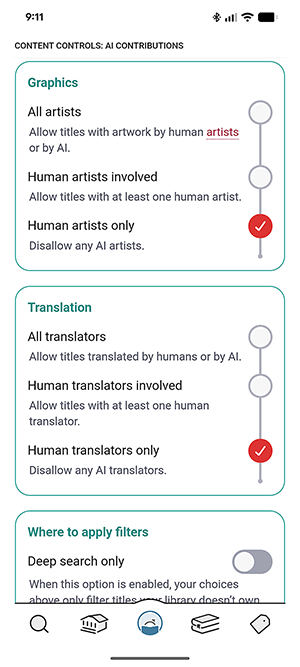
Libby, the popular ebook and audiobook app, has recently launched a new feature that allows users to filter out AI content. Note that AI content on Libby is, at this point, self-reported by publishers.
Follow these steps to turn on the feature:
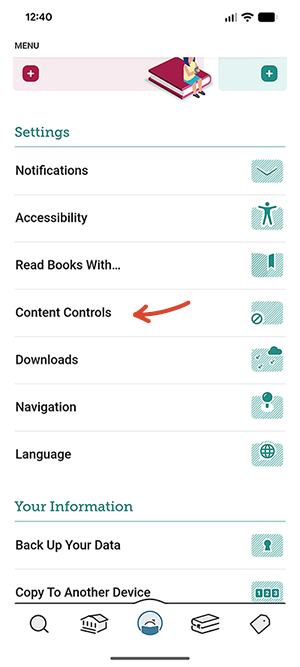
- Open Libby and tap the Your Account button (bottom center icon)
- Under the “Settings” section, tap “Content Controls”
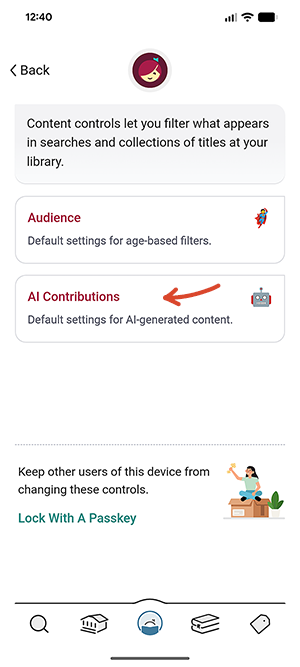
- Tap on “AI Contributions”
- Scroll through the screen and toggle on the settings you would like. Be sure to scroll to the bottom and read the “Where to apply filters” section and whether you want the filters to apply to “Deep search only” or not.